What Navi+ adds to your theme (and what it doesn’t)
One script, loaded from our CDN. No theme files edited, nothing left behind when you uninstall.
You will learn
What Navi+ actually puts on your store — so you know what changes, and what doesn’t.
What it adds
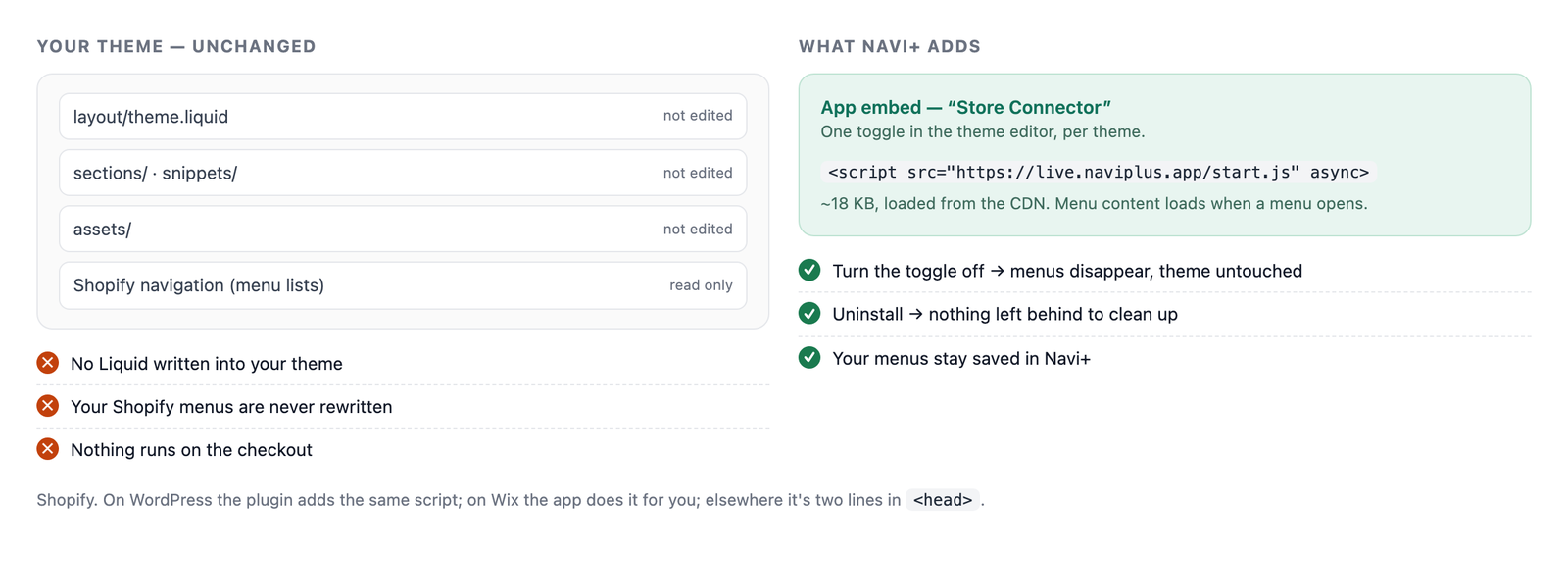
On Shopify: one app embed — “Store Connector” — that you turn on per theme. It loads a single script from the Navi+ CDN, and that script draws your menus.
On WordPress, Wix and other websites
- WordPress — the Naviplus Menu Builder plugin adds the same script.
- Wix — the app adds itself; no snippet, no code.
- Any other website — two lines in the
<head>, which you can remove at any time.
What it doesn’t do
- It doesn’t change your Shopify navigation. Navi+ reads your menu lists and keeps its own copy.
- It doesn’t edit theme files. No Liquid written, nothing to clean up after uninstall.
- It doesn’t block your page. The script loads asynchronously; menu content loads when a menu opens.
- It doesn’t touch the checkout. Shopify doesn’t allow apps there.
Troubleshoot
I switched themes and my menus vanished
The app embed is set per theme. Turn it on for the new theme: Turn on the Navi+ app embed.
I want to remove Navi+ completely
Turn off the app embed, then uninstall the app. Nothing stays in your theme.
Did this page answer your question?
Need a hand? Chat with us in the app or write to [email protected] — send your store URL and the menu name and we'll look at it with you.