Turn on the Navi+ app embed
Navi+ menus can’t load until the Store Connector app embed is on in your theme. The app walks you through it — about 1 minute.
You will learn
How to turn the app embed on from inside Navi+, which theme to put it on if your store already has customers, and how to see that it worked.
Before you begin
- Navi+ is installed (Install Navi+).
- Know whether your store already has customers — that decides which theme gets the embed.
The app embed is set per theme. If you switch to another theme later, turn it on there too.
Steps
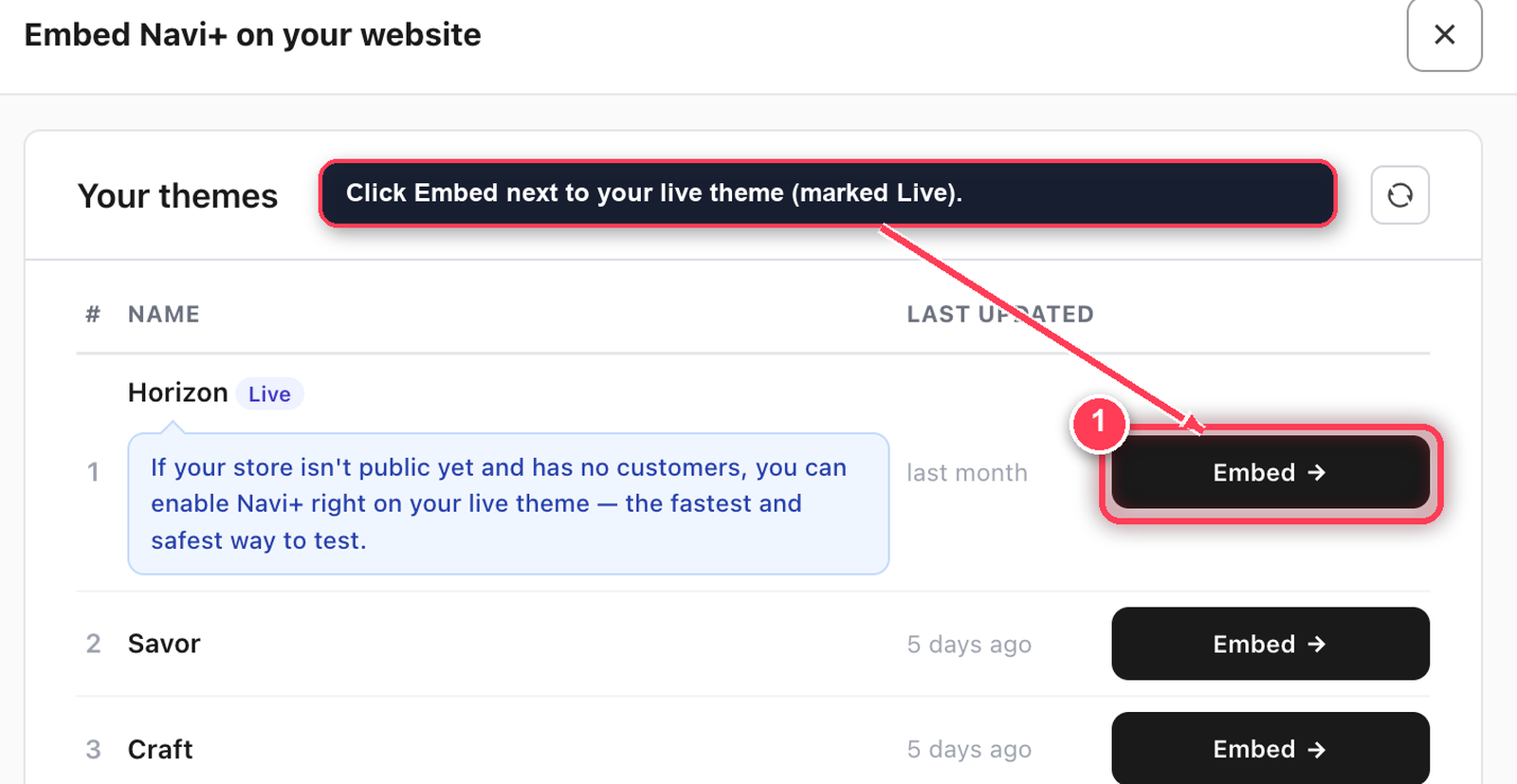
Open Navi+. The first time, it opens on the setup guide — Step 1: Embed Navi+ on your store — with a Your themes list. Later you can reach the same list any time from the menu list: ••• (top right) > Embed Navi+.
Nobody is shopping yet, so put the embed straight on your live theme — the one marked Live.
- In Your themes, click Embed next to your live theme. The Shopify theme editor opens on App embeds in a new tab.
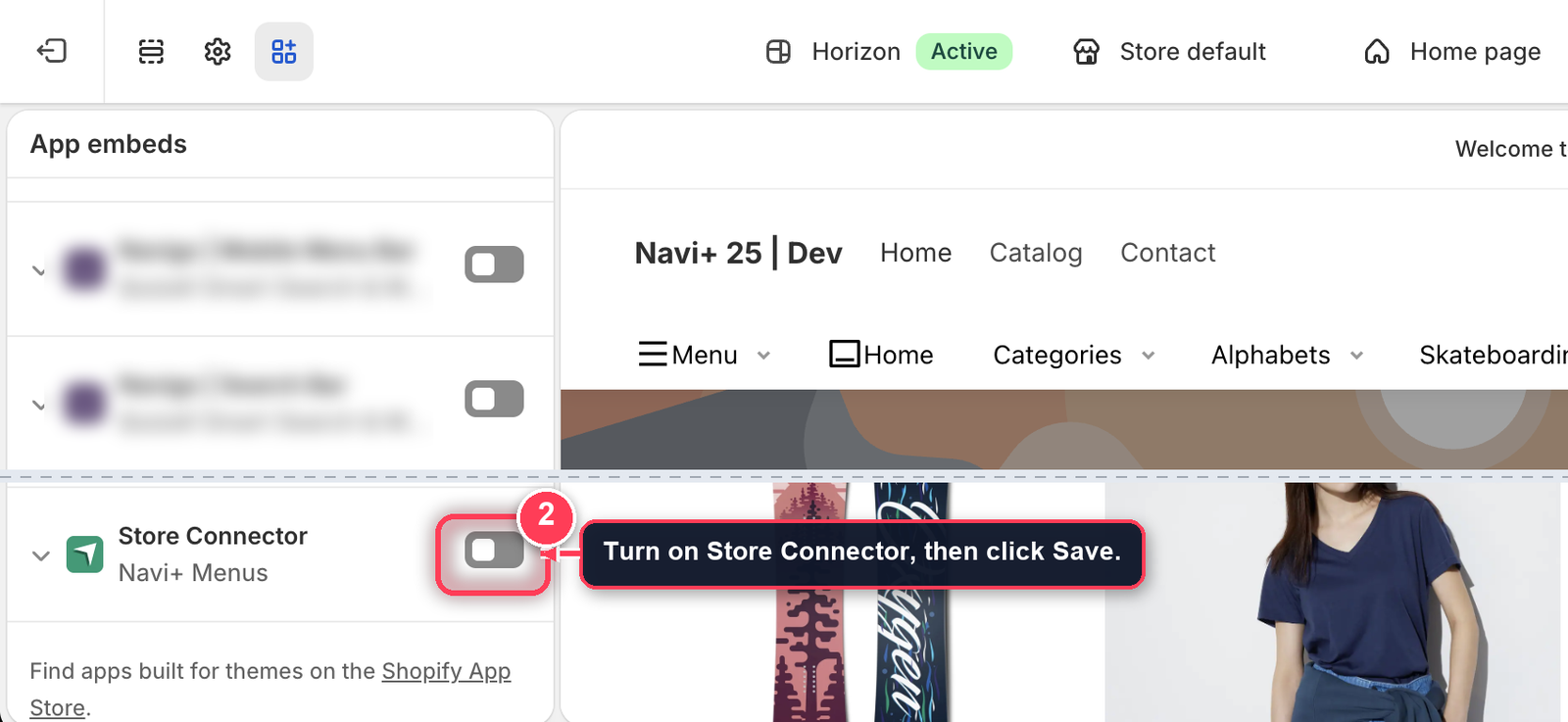
- Turn on Store Connector, then click Save.
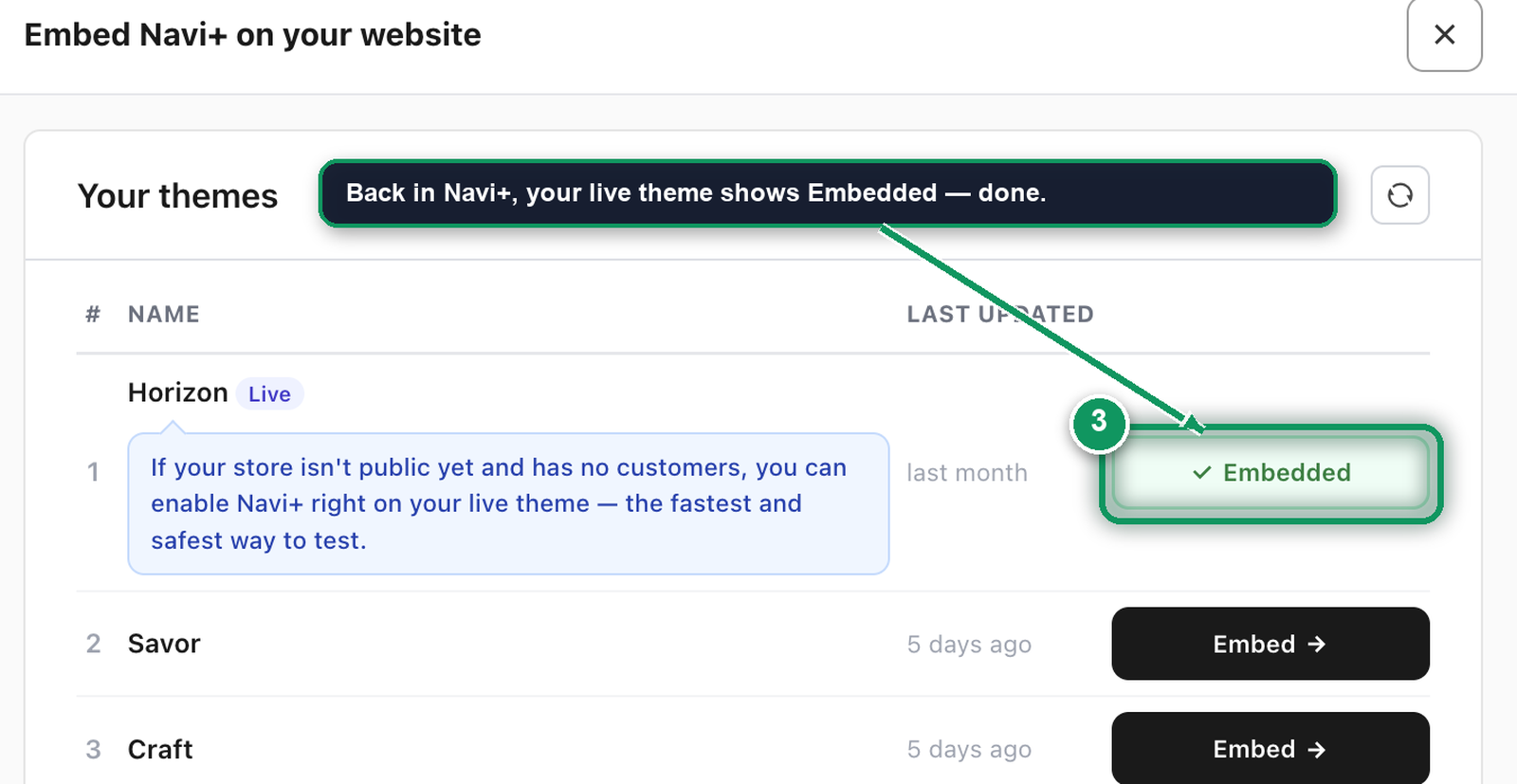
- Back in Navi+, the theme now shows Embedded. Click Continue.
Customers are shopping, so keep your live theme untouched: put the embed on a copy, build and test there, and publish the copy when it looks right.
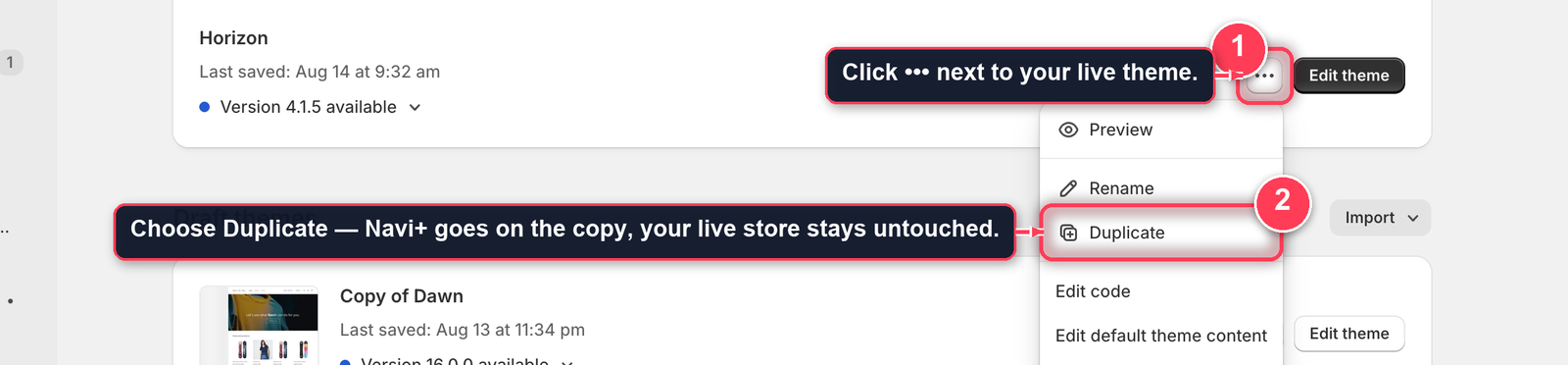
- In your Shopify admin, go to Online Store > Themes. Next to your live theme, click ••• > Duplicate. The copy appears under Draft themes.
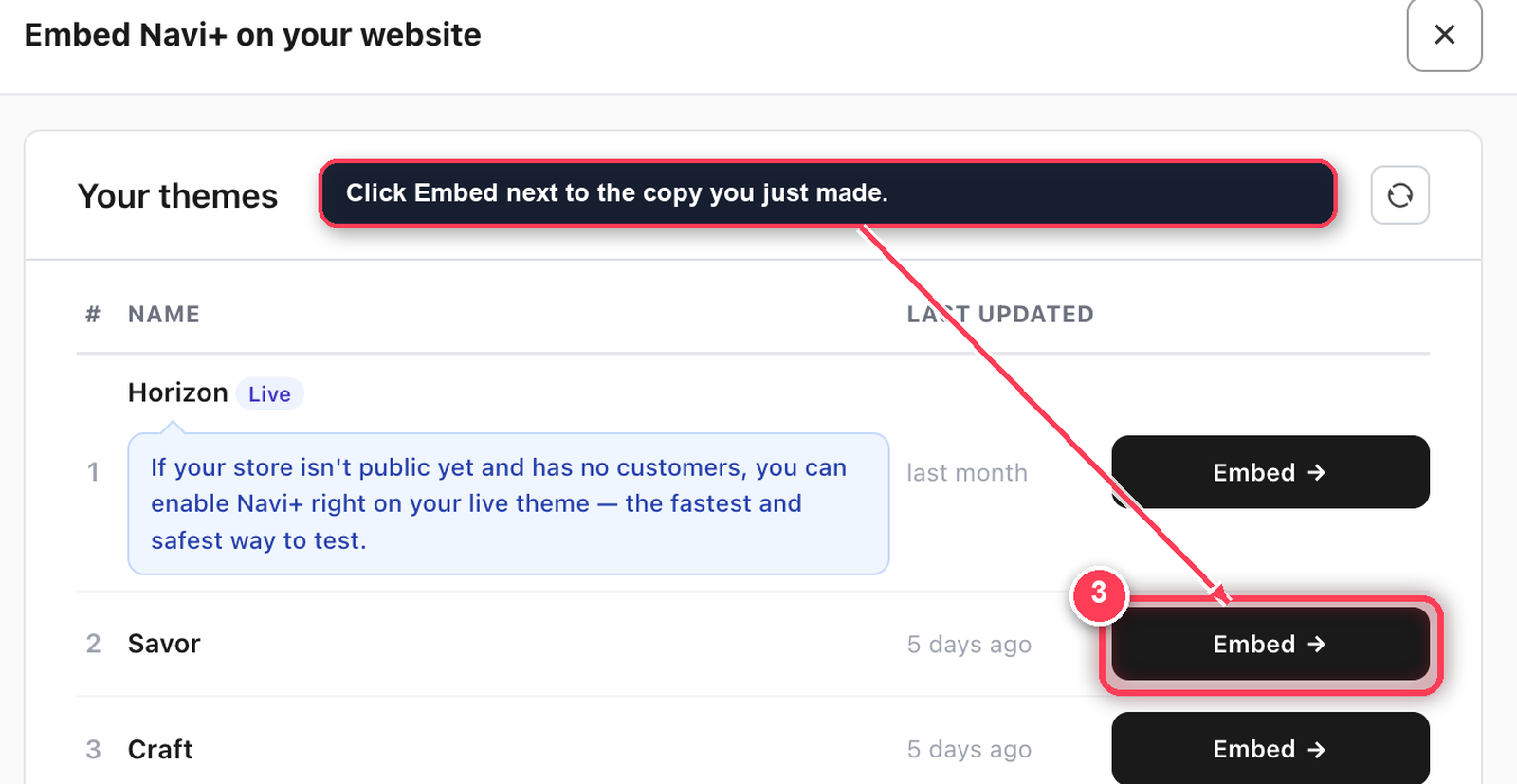
- Back in Navi+, click the reload icon on Your themes, then click Embed next to the copy. The theme editor opens on App embeds in a new tab.
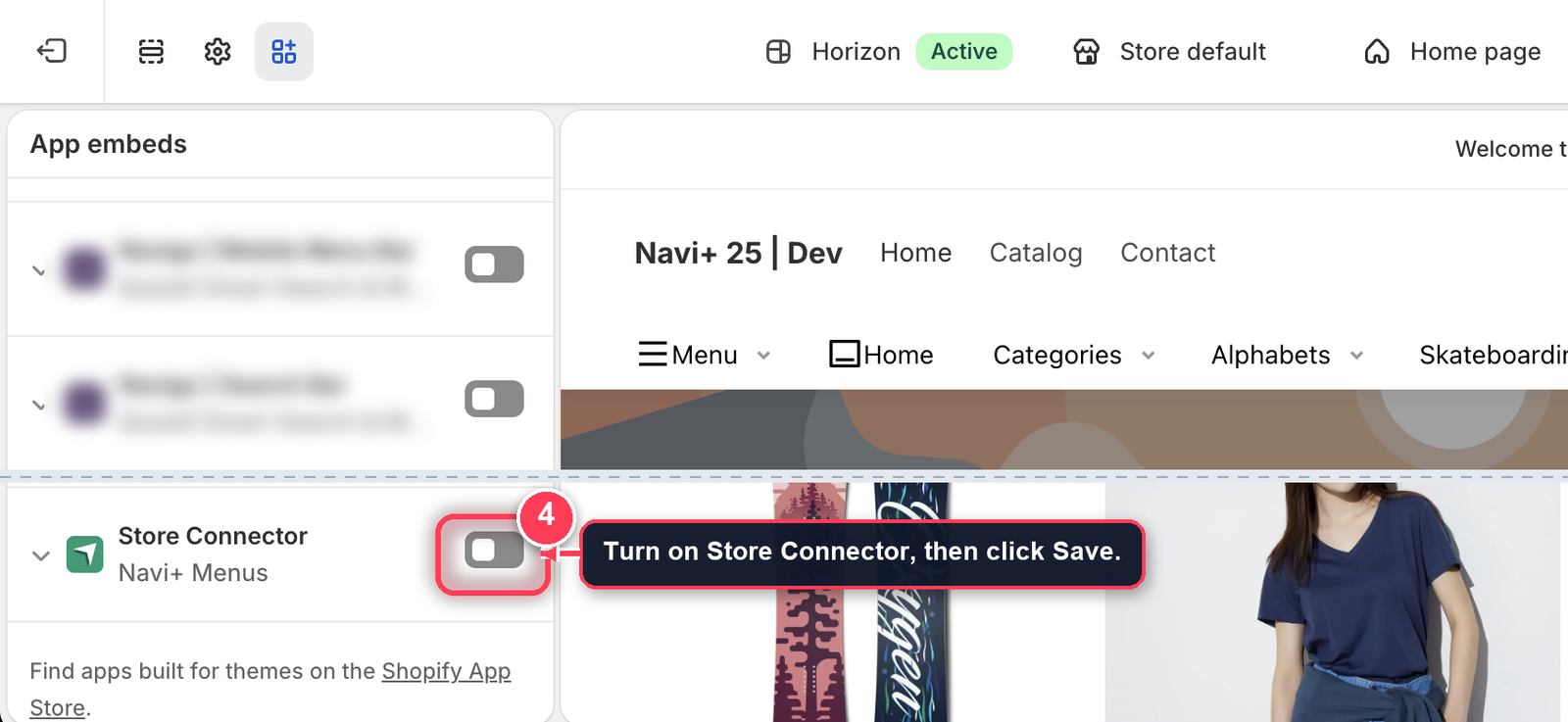
- Turn on Store Connector, then click Save.
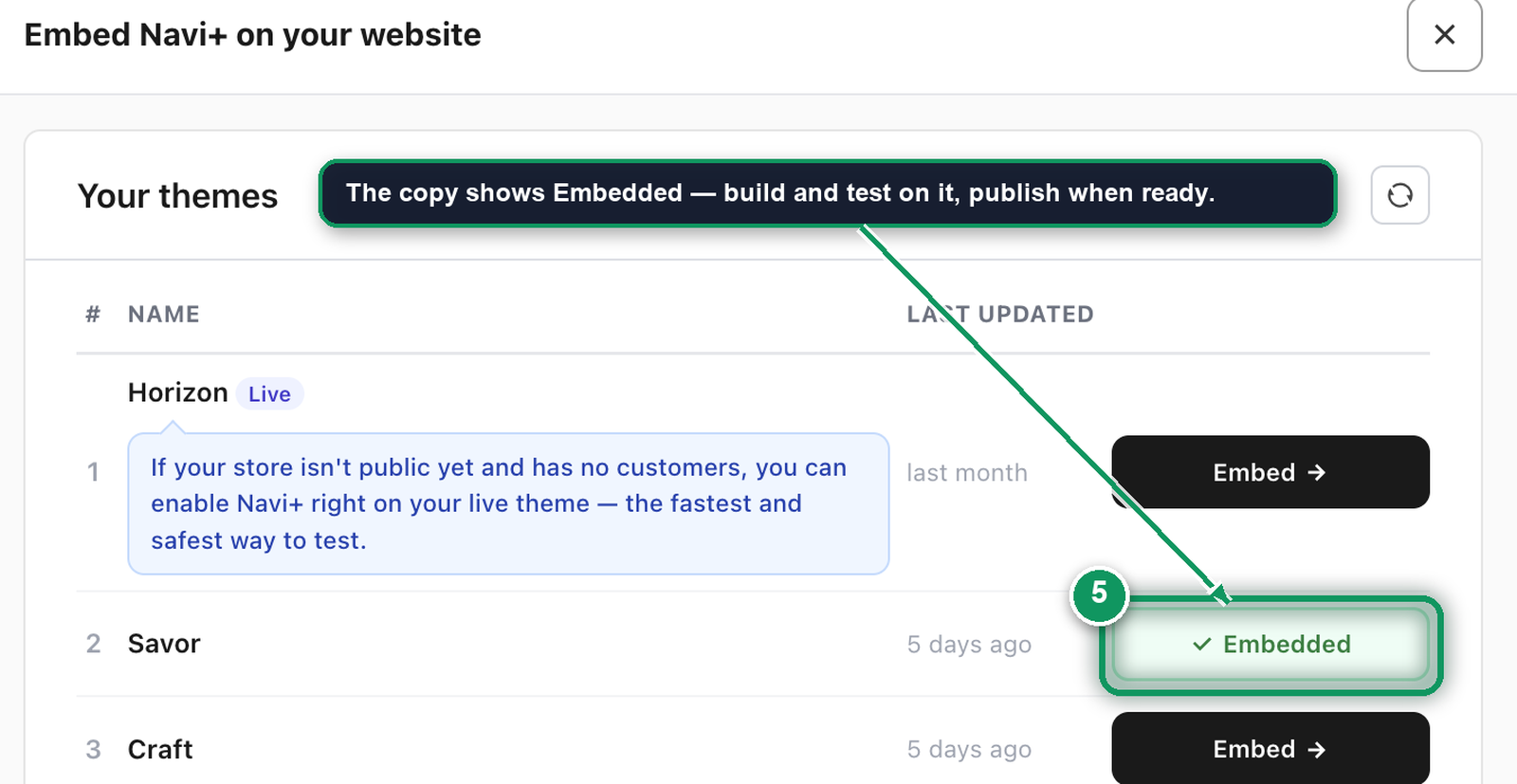
- Back in Navi+, the copy now shows Embedded. Click Continue — everything you build shows only on the copy until you publish it.
Rename the copy to something like "Horizon + Navi+" so you can tell it apart. When you're ready, publish it from Online Store > Themes — Navi+ is already on.
Troubleshoot
The theme still says “Embed” after I saved
Click the reload icon on Your themes. If it still says Embed, the switch was saved on a different theme — open the editor from the Embed button again so it lands on the right theme.
I don’t see Store Connector in App embeds
You’re in the theme editor of a different store, or Navi+ isn’t installed here. Go back to Install Navi+.
My menu disappeared after I changed themes
Switching themes turns the embed off. Turn it on for the new theme: Menu disappeared after changing theme.
Next: Your first menu in 5 minutes
Did this page answer your question?
Need a hand? Chat with us in the app or write to [email protected] — send your store URL and the menu name and we'll look at it with you.